Adobe Audition 2025 v25.2是一款功能强大的专业音频编辑和音乐制作软件,专为广播、播客、影视后期及音乐制作人设计。此版本延续了其强大的多轨录音、混音和声音修复能力,并引入了全新的人工智能降噪和音频修复工具,可智能识别并消除背景噪音,让原始人声或乐器录音更加纯净。同时,其改进的频谱编辑功能提供了更精细的音频处理控制,用户能直观地在频谱图中直接选取并处理特定频率的杂音或瑕疵。软件还优化了与Adobe Creative Cloud生态的协同工作流,例如与Premiere Pro的无缝项目交换,以及增强的云端协作功能,使团队能更高效地共享和编辑音频项目。无论是处理复杂的电影配乐、精细打磨播客人声,还是进行专业的音乐混音,Audition 2025 v25.2凭借其全面的工具集和流畅的性能,持续为专业音频工作者提供可靠的一站式解决方案。
支持系统:Windows MAC |
音源厂商:https://www.adobe.com/ |
独立安装程序 PC + MAC |
文件大小:1GB |
 |
|---|
|
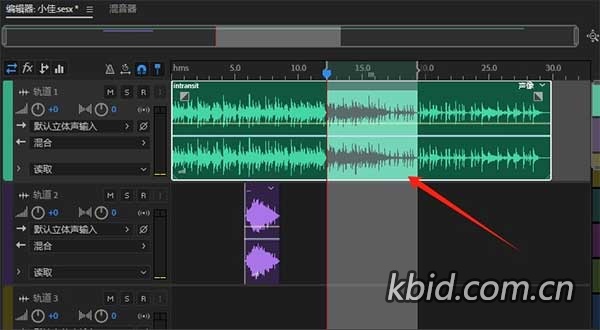
Adobe试听。专业音频工作站。使用业界最好的数字音频编辑软件创建、混合和设计音效。Audition是一个全面的工具集,包括多轨、波形和频谱显示,用于创建、混音、编辑和恢复音频内容。这款功能强大的音频工作站旨在加速视频制作工作流程和音频处理,并提供具有原始声音的精致混音。 编辑、混音、录制和恢复音频。Audition是一个全面的工具集,包括多轨、波形和频谱显示,用于创建、混音、编辑和恢复音频内容。这款功能强大的音频工作站旨在加速视频制作工作流程和音频处理,并提供具有原始声音的精致混音。 什么是试镜? 录制、编辑和集成音乐片段。 新的交互式教程,就在应用程序中。 创建播客 混音以适应。 维修和恢复
Adobe Audition. A professional audio workstation. Create, mix, and design sound effects with the industry's best digital audio editing software. Audition is a comprehensive toolset that includes multitrack, waveform, and spectral display for creating, mixing, editing, and restoring audio content. This powerful audio workstation is designed to accelerate video production workflows and audio finishing — and deliver a polished mix with pristine sound. Edit, mix, record, and restore audio.Audition is a comprehensive toolset that includes multitrack, waveform, and spectral display for creating, mixing, editing, and restoring audio content. This powerful audio workstation is designed to accelerate video production workflows and audio finishing — and deliver a polished mix with pristine sound. What is Audition? Record, edit, and integrate music clips. New interactive tutorials, right in app. Create a podcast Remix to fit. Repair and restore |
评论(42)
用来剪播客确实挺稳的,基本不崩。
这软件启动速度还是老样子吗?打开得等好久。
新版那个Remix功能有点东西,以前改时长得剪半天。
有没有Mac版的资源?想给MBP装一个。
才1GB?安装包这么小,是不是精简版啊?
这就是传说中的Au吧,以前剪视频被迫用过,感觉没Pr好用。
频谱编辑确实好用,修那种呼吸声很方便。
这个AI降噪效果咋样?比RX强吗?
这AI降噪跟RX比到底哪个强?
已全部加载完毕