|
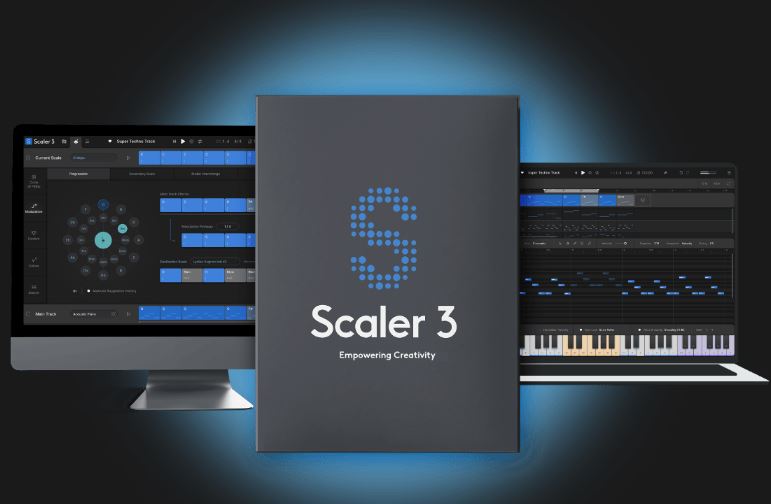
Scaler 3 让您更轻松地找到新方向,解决音乐难题,并以全新的方式改进您的未完成作品。
Scaler 3 主要功能
数百个和弦组和音阶,按情绪、艺术家和流派分类。Scaler 3 极大地扩展了和弦组的数量,使其更易于使用。
使用音序器构建和弦进行,并根据您当前选择的和弦获取建议。
使用 VST/AU 插件托管功能演奏您喜爱的乐器,包括效果器。
凭借强大的 MIDI 和音频检测功能,Scaler 可以确定您当前使用的调性和音阶,并建议与您的音乐相匹配的和弦。
独立模式,无需 DAW 即可在台式电脑上工作。
庞大的 Motion 音色库让您可以演奏和弦作为旋律、琶音、贝斯线和扫弦,并使用钢琴卷帘编辑器和全局音符属性进行修改。
查看五度圈,查找附近的和弦替换及其扩展。
用五种方法解决您的调制难题:和弦进行、次级音阶、调式互换、中音和新里曼调制。
尝试使用语音分组功能,将您的和弦保持在一定范围内,或应用降调、吉他和声等。
50 种内置音色可用于演奏您的输入、和弦和进行,或加载 VST/AU 乐器插件。
使用"绑定到键盘"功能,通过音符控制和弦播放,适用于单指和弦、琶音等。
在"颜色"页面中探索新的和弦表达方式——和弦替换、和弦转位、和弦变奏、和声和声扩展。
在 Sketch Pad 页面中排列七个具有不同动作的进程进行比较。
Scaler 3 makes it easier to take new directions, solve musical puzzles, and improve your works-in-progress in completely new ways.
Scaler 3 Key Features
100s of Chord Sets and Scales categorised by mood, artist and genre. Scaler 3 greatly expands the number of chord sets and makes them easier to work with.
Build Chord Progressions using the sequencer and get suggestions based on your currently selected chords.
Play your favourite instruments with VST/AU Plugin Hosting, including effects too.
With powerful Detection of MIDI and audio, Scaler can determine what key and scale you're in and suggest chords that match your music.
Standalone mode for working on your desktop computer without needing a DAW.
Huge library of Motions lets you play chords as melodies, arpeggios, basslines and strums, and to modify them using the piano roll editor and global Note Properties..
Check the Circle of Fifths to find nearby chord substitutions and their extensions.
Solve your modulation puzzles in five ways: Progression, Secondary Scale, Modal Interchange, Mediants, Neo-Riemannian.
Experiment with Voice Grouping to keep your chords within a certain range or apply drop voicings, guitar voicing and more.
50 Internal Sounds to play your inputs, chords and progressions, or load VST/AU instrument plugins.
Use Bind to Keyboard to control chord playback with notes, for one-finger chords, arpeggios and more.
Discover new chord expressions – chord substitutions, inversions, variations, voicings and extensions – in the Colors page.
Line up seven progressions with different motions to compare in the Sketch Pad page.
|

评论(19)
我超爱它的Motion音色库,太好玩。
有人说它能直接把旋律变成和弦,简直黑科技。
感觉还行。
界面有点儿乱,找功能像找针。
我之前用它写了首Jazz,和弦走向意外惊喜。
这个插件支持哪些DAW?
听说有人用它把旧歌翻新,效果惊艳。
这玩意儿太给力了,马上买!
已全部加载完毕